How to activate your o2 SIM
Follow these steps to activate your German o2 physical SIM. Keep this guide open while you register.
Enter your SIM number
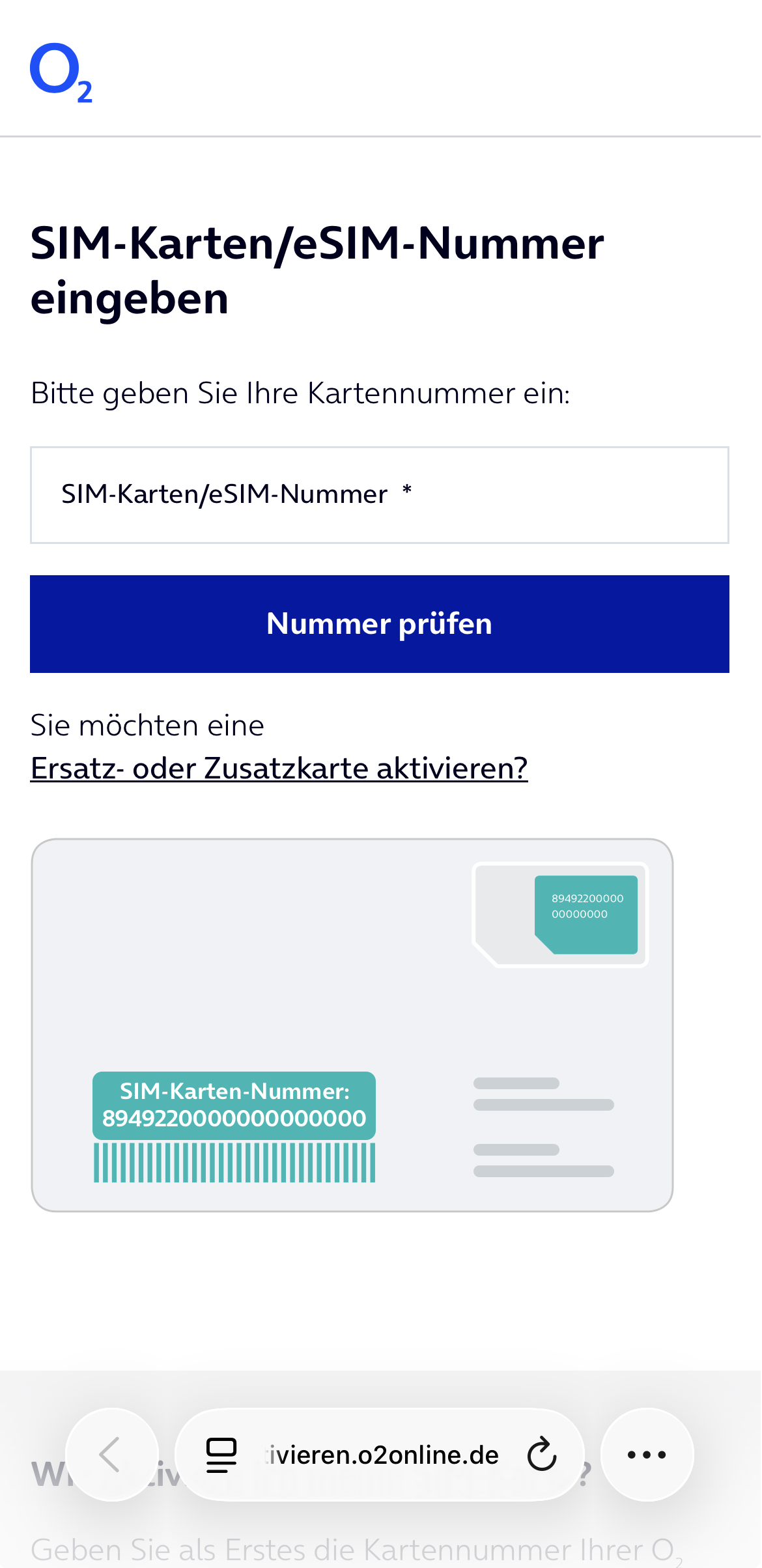
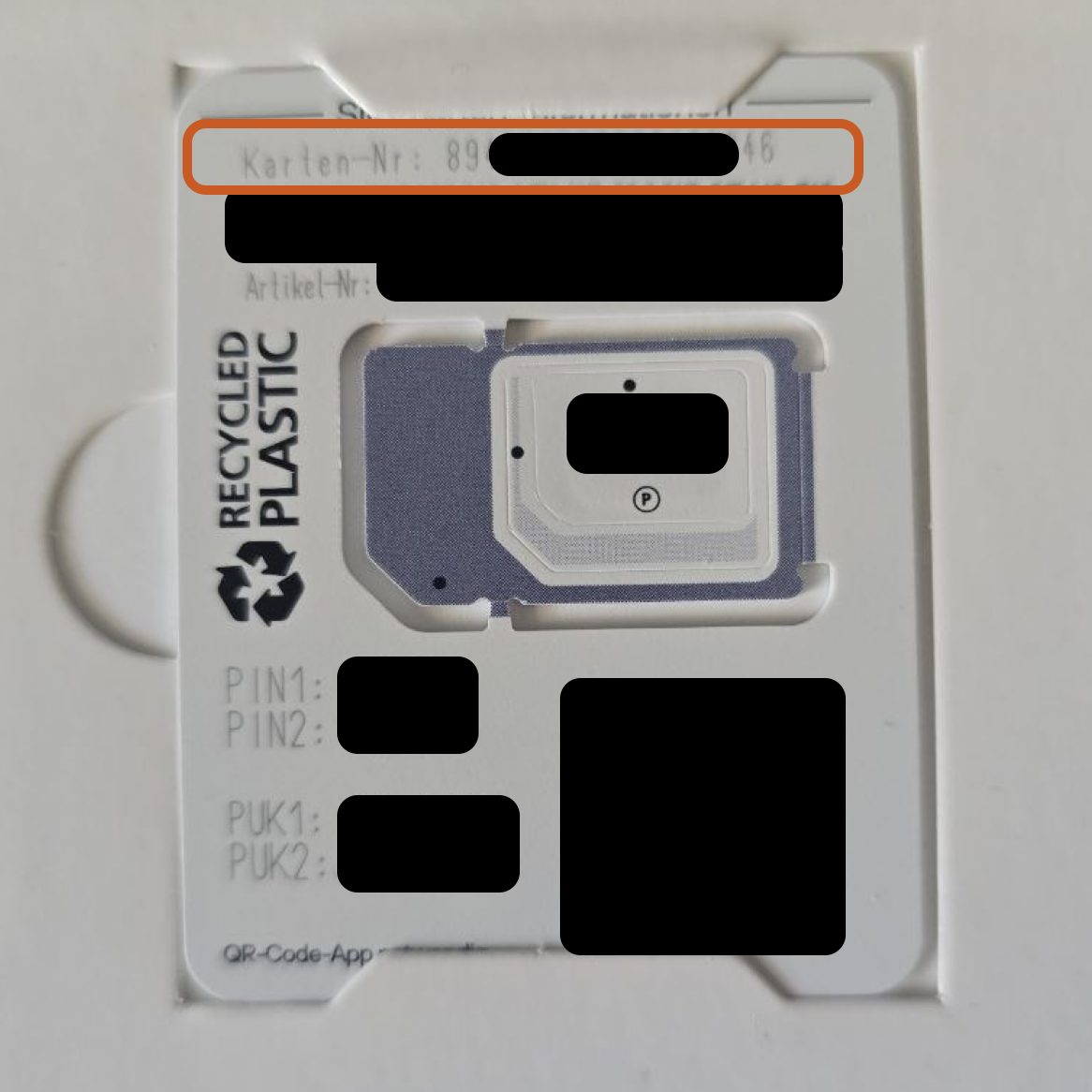
Open o2’s activation page. Enter the Karten-Nr. from your SIM’s plastic card, then tap Nummer prüfen (check number).
Enter your PUK2
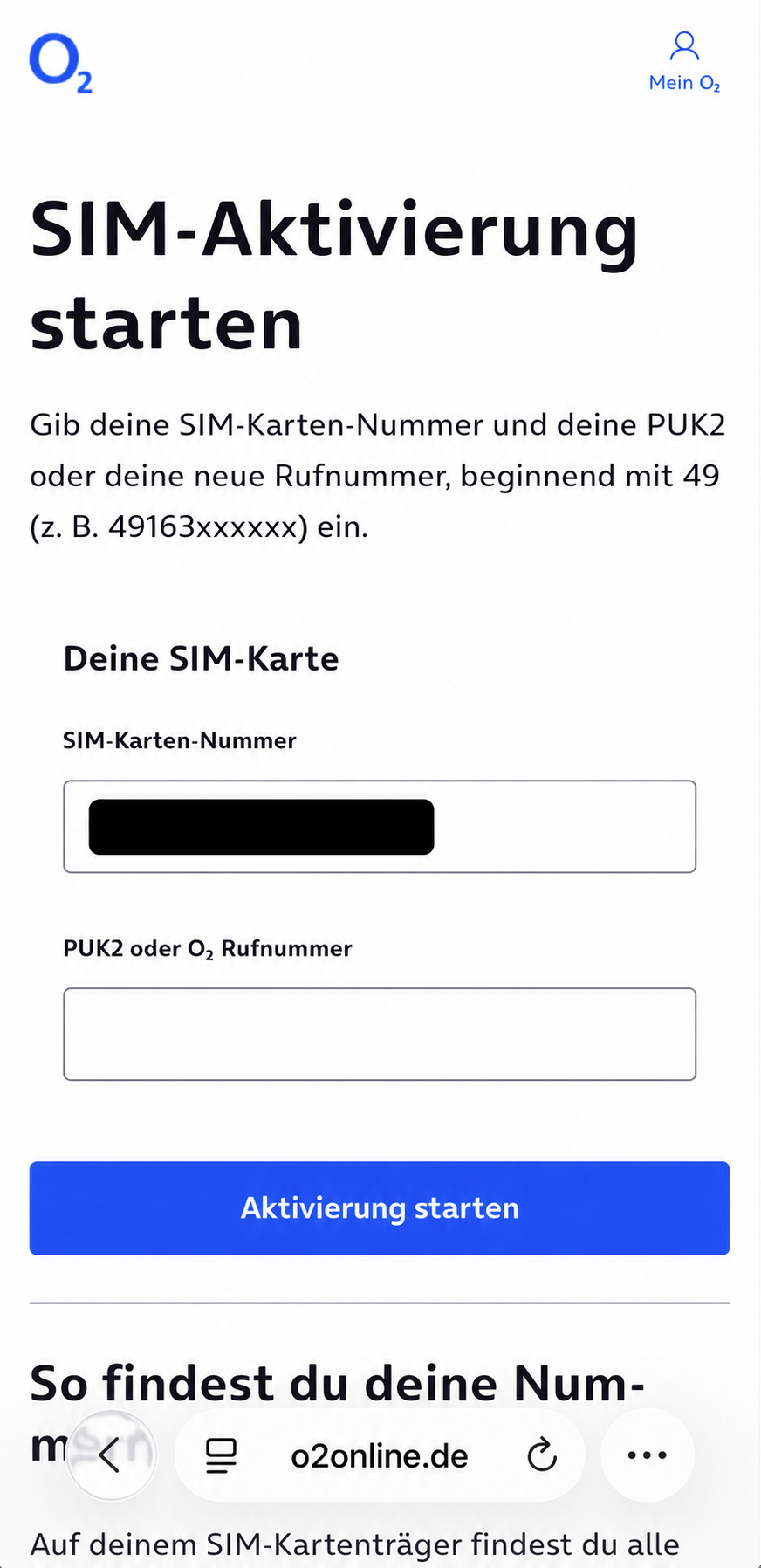
On the next page, enter PUK2 from the same plastic card. Tap Aktivierung starten (start activation).
Choose your plan and pSIM
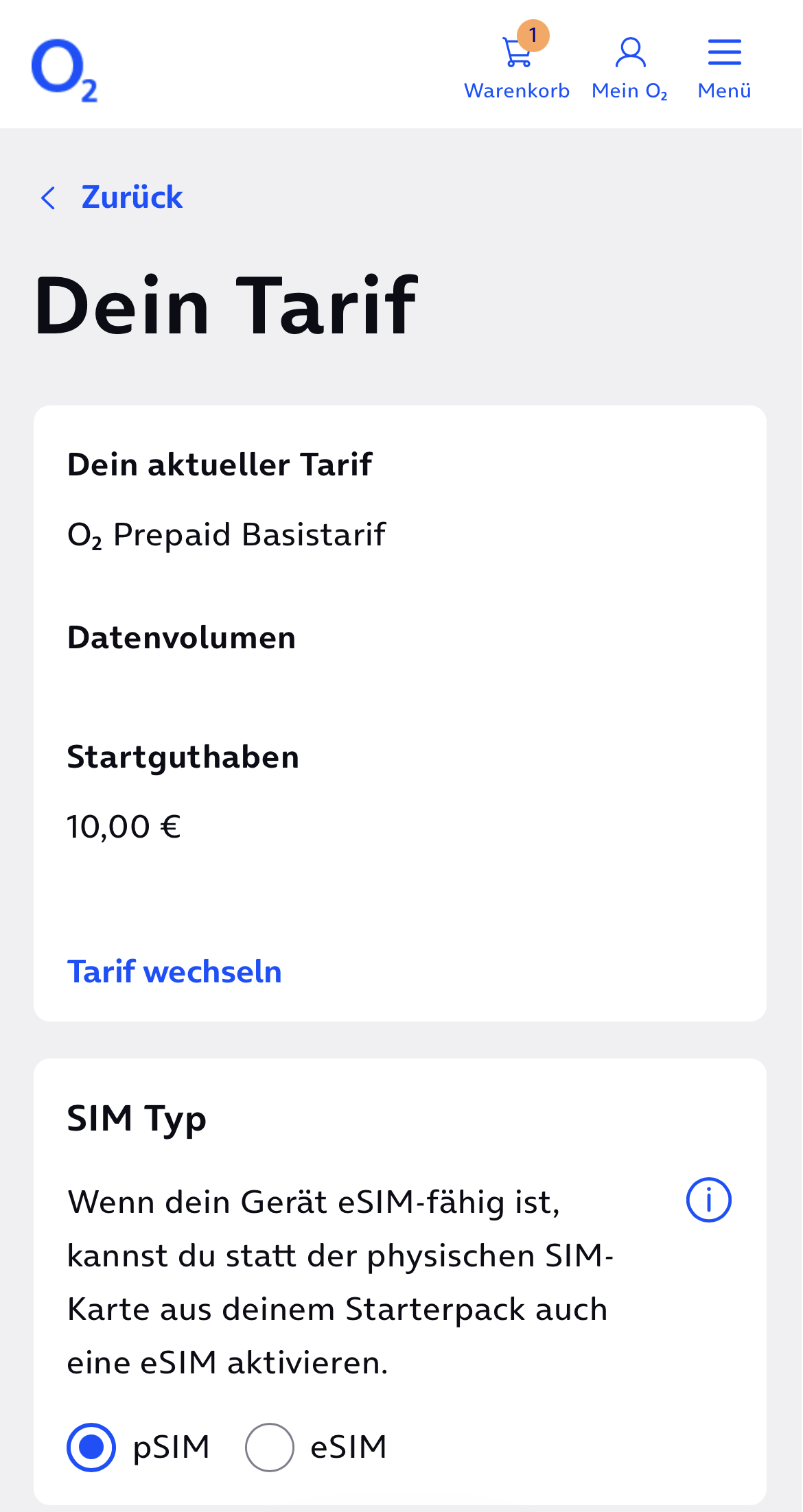
Use Tarif wechseln (change plan) to choose a plan. Under SIM Typ, select pSIM — the physical SIM in your package. Then continue.
Add your personal details
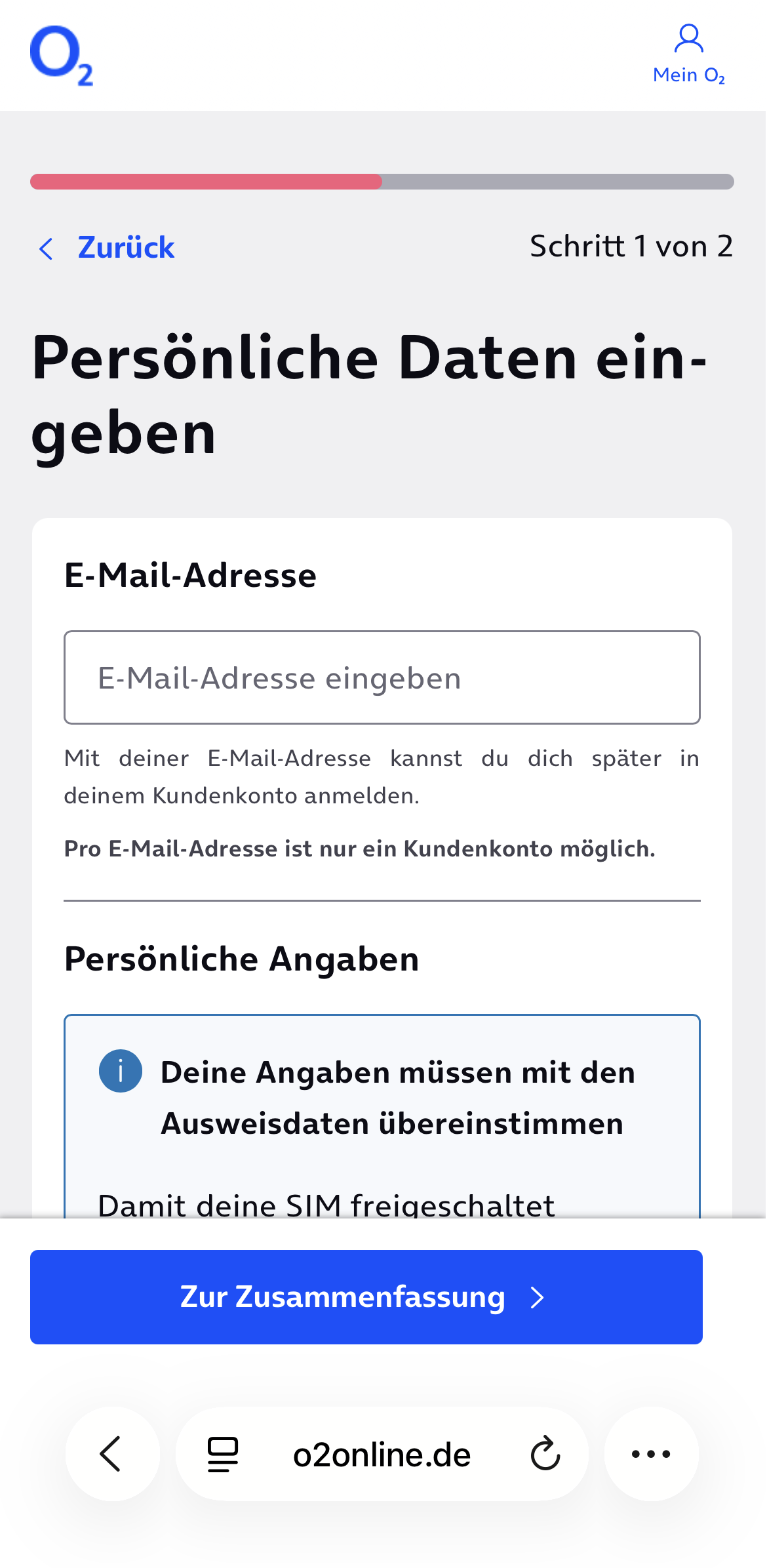
Enter your email, full name, date of birth and address. Your name must match your ID exactly.
The form requires a German address. If you’re staying at a hotel, use that hotel’s address. You can find the hotel’s address on Google Maps.
Confirm your email
Submit the form, then open the verification email from o2 and follow its instructions. Check your spam folder if it doesn’t arrive.
Verify your identity
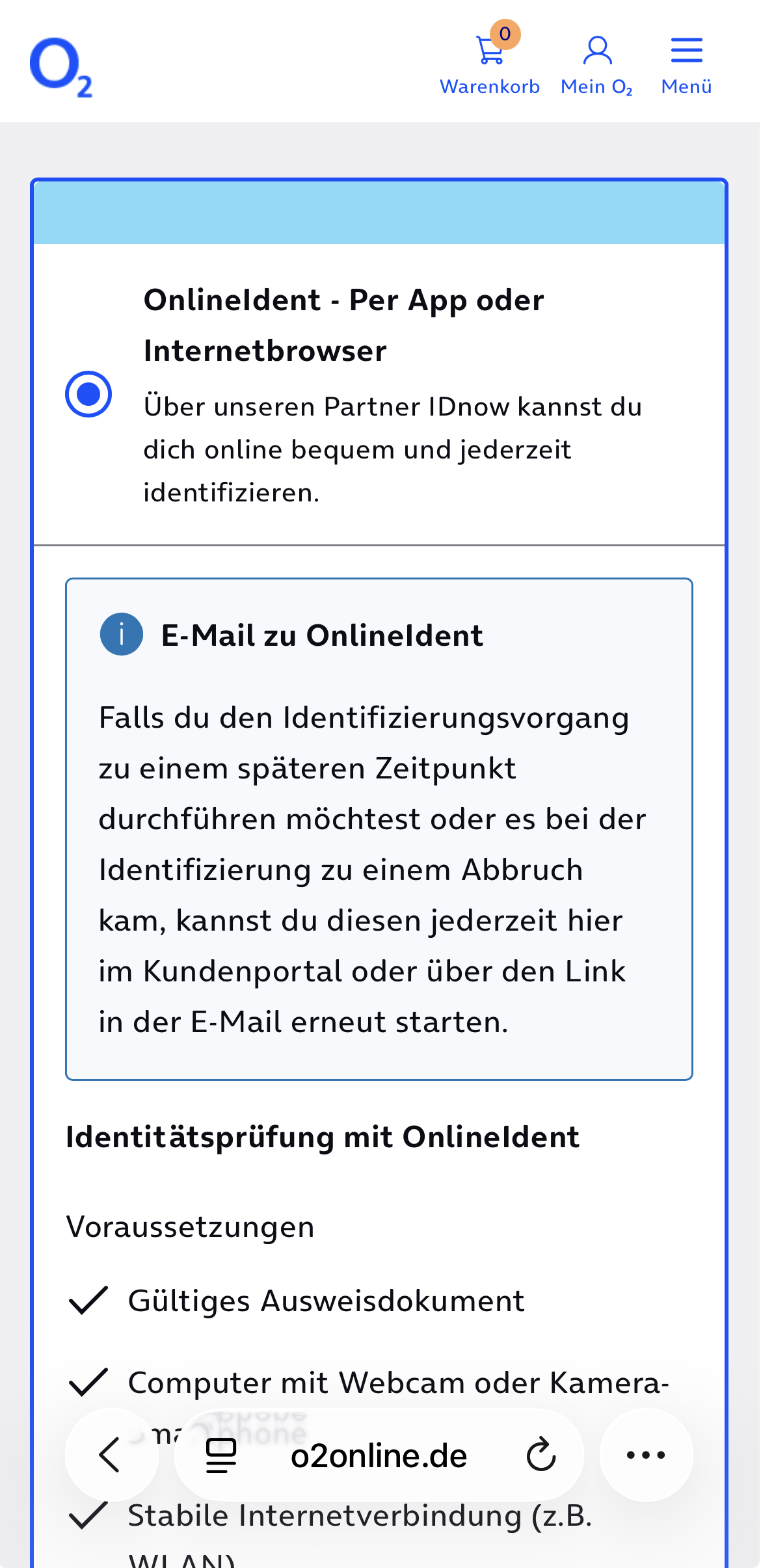
Choose OnlineIdent – Per App oder Internetbrowser (by app or browser). The PostIdent option requires a visit to a post office in Germany.
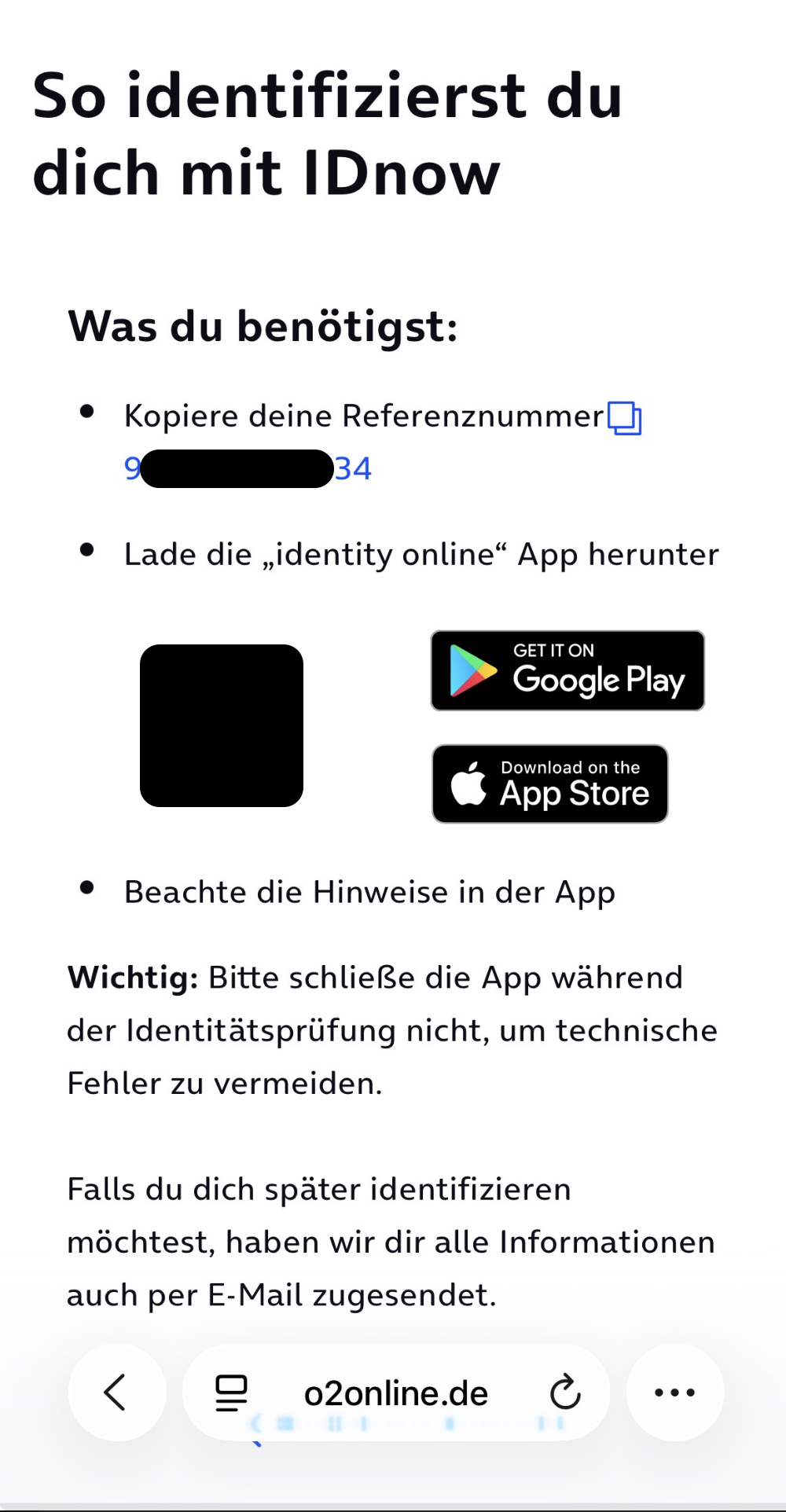
Copy your Referenznummer (reference number). Download identity online using o2’s app link, open it and paste the number. Follow the prompts to scan your ID and record a video selfie.
If the NFC scan gets stuck
The app may ask to read your passport’s NFC chip by holding your phone against it. If your passport has no chip, try cancelling that prompt 2–3 times, then close and reopen the app.
If a camera alternative appears, slowly tilt your passport so its shiny holograms are visible, then take the video selfie when asked. This option can vary by document and app version.
Finish your o2 account
Wait for verification and o2’s activation confirmation. This usually takes a few minutes; activation can occasionally take up to 24 hours.
After verification, return to your browser and set a password when prompted. In Mein o2, you can change plans and top up your balance yourself, without HiveReach.
Screens may change. For current requirements or help, see o2’s activation support.